When an iPhone stops charging, panic sets in quickly. The cable is plugged in, but the screen stays dark; the phone charges only if you hold the cable at a particular angle; or it says "Accessory not supported". In most cases the culprit is not the battery or the motherboard but the humble charging port. This guide explains how the charging port works on the iPhone 11 to iPhone 18 series, why Lightning and USB-C ports fail in different ways, what you can safely try at home, and when a proper iPhone charging port repair in Delhi is the only real solution.
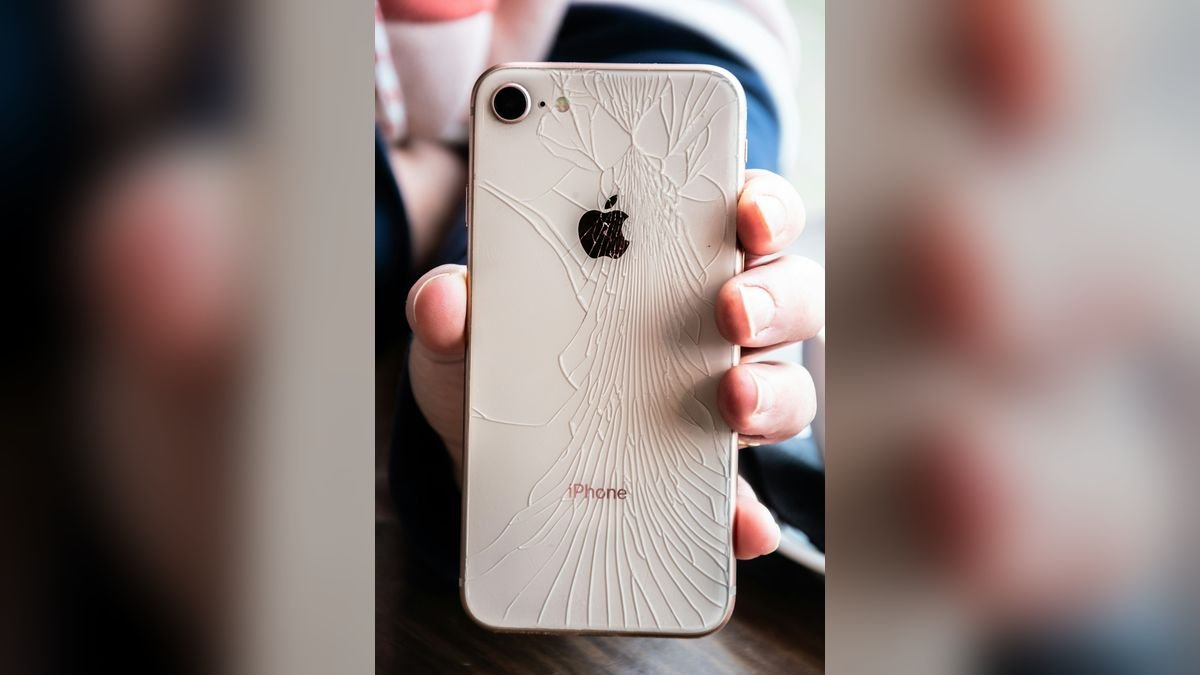
Lightning vs USB-C: which port does your iPhone have?
Knowing the port type matters because the failures, the parts and the repair cost differ.
| iPhone models | Port type | Common weaknesses |
|---|---|---|
| iPhone 11, 11 Pro, 11 Pro Max | Lightning | Lint build-up, bent contact pins, worn flex |
| iPhone 12 series | Lightning | Lint, corrosion from moisture |
| iPhone 13 series | Lightning | Loose connection, cable wear |
| iPhone 14 series | Lightning | Lint, liquid damage |
| iPhone 15 series | USB-C | Bent tongue, debris, high-power wear |
| iPhone 16 series, 16e | USB-C | Loose port after drops, debris |
| iPhone 17 series, iPhone Air | USB-C | Stress on slim frame, debris |
| iPhone 18 series | USB-C | Same as above as the models age |
The Lightning port is a small, fully enclosed connector where contact pins sit on both sides; lint packs into it easily. The USB-C port has a central tongue with contact pads, and that tongue can bend or snap if a cable is forced in at an angle.
Symptoms of a charging port problem
- The iPhone charges only when the cable is held at a certain angle.
- The charging icon appears and disappears repeatedly.
- The phone charges very slowly or only reaches a few percent.
- The cable feels loose and falls out with a small touch.
- The message "Accessory not supported" or "Liquid detected in Lightning connector" appears.
- The phone does not respond when plugged in but charges wirelessly.
- CarPlay, headphones or data transfer keep disconnecting.
- The port area feels hot while charging.
10 causes of iPhone charging port problems
1. Pocket lint and dust
The most common cause by far. Pockets, handbags and desk drawers fill the port with fine fibre that compresses with every plug-in. The cable then stops short of the contacts. A careful cleaning fixes most "dead port" cases without any part.
2. A bent or broken contact pin or tongue
Plugging in at an angle, pulling the cable sideways or tripping over it bends the delicate contacts. Once bent, they cannot make reliable contact and the port needs replacing.
3. Worn-out charging flex cable
The port sits on a thin flex cable. Years of insertion and heat make the connection weaker until power flows only intermittently.
4. Liquid or moisture in the port
Humid weather, sweaty pockets and splashes leave moisture that corrodes the contacts. The iPhone then displays the "Liquid detected" warning and may disable charging for safety. See how to deal with a water-damaged device.
5. A faulty cable or adapter
Before blaming the port, test another certified cable and adapter. Many "port problems" are a damaged cable end.
6. Charging circuit failure on the board
If the port is clean and fine but still not charging, the charging IC on the logic board may have failed. This needs micro-soldering.
7. A drained, failing battery
A badly degraded battery can behave as if the port is dead. Compare with wireless charging; if that works fine, the battery is likely okay and the port is the problem.
8. Software glitch
A frozen charging service can stop power flowing. Restarting the phone solves this in seconds.
9. Physical drop damage
A hard fall can loosen the port from its mounting or crack the solder points beneath it, even when the phone looks perfect on the outside.
10. Over-heating through the port
A dirty port with poor contact makes resistance, and resistance makes heat. Read iPhone overheating: causes and repair if the bottom of the phone gets hot.
Safe fixes to try at home
Step 1: Restart the phone
Hold the side and volume buttons, or use the force restart sequence (Volume Up, Volume Down, then hold the Side button). This clears software glitches.
Step 2: Test another cable and adapter
Use a certified cable and a wall adapter, not a laptop or power bank. If another cable works, you have found the real culprit.
Step 3: Check with wireless charging
If the phone charges wirelessly but not with a cable, the battery is healthy and the port needs attention.
Step 4: Clean the port carefully
Switch the phone off first. Shine a torch inside and look for lint. Gently scrape the debris from the sides with a wooden or plastic toothpick. Never use a metal pin or needle, which can short the contacts or bend them. Do not blow with your mouth, since moisture makes things worse.
Step 5: Dry the port if you see the liquid warning
Leave the phone unplugged, port facing down, in a dry, ventilated place for a few hours. Do not use heat guns or rice. If the warning persists, bring it in.
What not to do
- Do not poke the port with a pin, safety pin or SIM-eject tool.
- Do not spray cleaning liquids or alcohol into the port.
- Do not keep forcing a cable that will not go in.
- Do not use cheap, uncertified chargers to "test" the phone.
iPhone charging port repair cost in Delhi
The charging port on an iPhone is a separate flex assembly that includes the microphone and antenna connections on most models, so it is a precise job. Our indicative prices:
| Service | Indicative price | Time |
|---|---|---|
| Port cleaning (no parts) | ₹300 – ₹800 | 15–30 minutes |
| Lightning port replacement (iPhone 11–14) | ₹1,800 – ₹3,500 | 45–90 minutes |
| USB-C port replacement (iPhone 15–18) | ₹2,500 – ₹4,500 | 60–120 minutes |
| Charging IC repair on board | ₹3,500 – ₹9,000 | 1–3 days |
| Liquid-damaged port treatment | ₹2,500 – ₹9,000 | 1–3 days |
For other repairs by model, see our iPhone repair price list for Delhi. All prices are indicative and the final quote is confirmed after a free diagnosis.
How we repair an iPhone charging port at Toughees Telecom
- Diagnosis – we test the cable, adapter, battery and port separately so we know exactly what has failed.
- Inspection under a microscope for lint, bent pins, corrosion or cracked solder.
- Cleaning first – if the port is only dirty, we clean it and charge you for cleaning only.
- Replacement with a genuine part when the port is damaged, including the flex assembly where needed.
- Testing of charging speed, data connection, microphone, CarPlay and wireless charging before handover.
Every repair carries a 3 to 6 months warranty, depending on the repair. Most Lightning and USB-C port repairs are completed the same day.
How to protect your charging port
- Clean the port every few months while the phone is switched off.
- Do not charge in your pocket or under a pillow.
- Use certified cables and replace frayed ones.
- Hold the cable straight when plugging in and avoid yanking it by the wire.
- Do not use the phone while it is charging in a car mount that stresses the port.
- Keep the phone out of humid places and wipe sweat before charging.
- Consider MagSafe or wireless charging to reduce wear on the port.
When the problem is not the port
If the phone charges to 80% and stops, that is Optimised Battery Charging, not a fault; read why your iPhone stops charging at 80%. If the phone is completely dead and not responding at all, see iPhone not turning on: causes and fixes. If the battery drains too quickly after a port repair, read our battery replacement guide.
Chargers, cables and wattage: what your iPhone really needs
A surprising number of "charging port" complaints turn out to be the wrong charger or a worn cable. Here is a short buying and troubleshooting guide:
- Adapter wattage: every iPhone from the iPhone 11 onwards supports fast charging when paired with a 20W USB-C adapter and the correct cable. A 5W cube still charges, but slowly, and a long overnight charge on a weak adapter is not an indicator of a fault.
- Cable type: iPhone 11 to 14 need a USB-C to Lightning cable for fast charging; iPhone 15 and newer use a USB-C to USB-C cable. The USB-C port on newer iPhones also supports data, so a cheap "charge-only" cable may not allow data transfer.
- Certification: look for cables from reputable brands. Roadside cables often have thin wires that cannot carry the current, which makes the cable and the port hot.
- Cable condition: if the cable end is frayed, bent or discoloured, replace it. A damaged cable can bend the pins inside your phone's port every time you plug it in.
- Power source: a wall socket gives the most stable power. Laptop USB ports and car chargers vary widely in quality.
Wireless and MagSafe charging as a stopgap
If your port is damaged and you cannot get to a repair shop immediately, wireless charging can keep the phone alive. Every iPhone from the iPhone 11 up supports Qi charging, and models from the iPhone 12 onwards also work with MagSafe. It is slower and warmer than a cable, so take the case off, but it is a safe way to keep a phone with a faulty port powered until the repair. If the phone also does not charge wirelessly, the fault is probably the battery or the board rather than the port.
Three real-world scenarios we see every week
"It charges only when I wiggle the cable"
This is almost always packed lint or a bent contact. We clean the port under a microscope; in about half of these cases cleaning alone fixes it and no part is needed. The rest need a new port assembly.
"It worked yesterday, now it says Liquid Detected"
Often caused by a sweaty pocket, a humid monsoon day or a splash while cooking. We dry and inspect the port and check for corrosion. If the contacts are corroded, we replace the port and treat nearby parts so the damage does not spread.
"The cable fell out and now nothing works"
A hard pull on the cable can tear the flex cable or crack the solder joints. This needs a proper port replacement and sometimes board-level repair. Bring the phone in rather than trying other cables repeatedly, as forcing them can make the damage worse.
Get your iPhone charging again today
Visit Toughees Telecom, Shop #7, Basement, Main Road, Block B-7, Arjun Nagar, Safdarjung Enclave, New Delhi, open Monday to Saturday, 10 AM to 8 PM. Call +91 99715 85123, WhatsApp us, or see all our iPhone repair services in Delhi. Free pickup and drop is available across South Delhi within 5–7 km; check the areas we serve or use the contact page.
Frequently Asked Questions About iPhone Charging Port Repair
Why is my iPhone not charging when plugged in?
The most common causes are lint in the charging port, a faulty cable or adapter, a damaged port, or a worn-out battery. Try another cable, clean the port gently and restart the phone. If it still does not charge, the port or the battery needs checking.
How much does iPhone charging port repair cost in Delhi?
Charging port repair in Delhi usually costs ₹1,800 to ₹3,500 for Lightning models (iPhone 11 to 14) and ₹2,500 to ₹4,500 for USB-C models (iPhone 15 onwards). Simple cleaning costs much less.
How long does iPhone charging port replacement take?
Most charging port replacements take 45 to 120 minutes. Complex board-level repairs can take one to three days.
Can lint really stop an iPhone from charging?
Yes. Lint packs tightly into the port and prevents the cable from reaching the contacts. Careful cleaning with a wooden toothpick often restores charging immediately.
Is it safe to clean the iPhone charging port myself?
It is safe if the phone is switched off and you use a wooden or plastic tool and are gentle. Never use metal pins, liquids or compressed air, which can damage the contacts or push debris deeper.
Why does my iPhone charge only at a certain angle?
That indicates a bent contact, loose port or lint blocking part of the connection. Cleaning may fix it, but a loose or worn port needs replacement.
What does "Liquid detected in Lightning connector" mean?
iOS has sensed moisture in the port and disabled charging to prevent corrosion. Unplug the cable and let the port dry in a ventilated place. If the warning stays, have the phone checked.
Does the iPhone 15 USB-C port fail differently from Lightning?
Yes. USB-C ports usually fail through a bent central tongue or damaged contact pads, while Lightning ports more often suffer from lint and worn pins. Both are repairable.
Will charging port repair erase my data?
No. Port replacement does not touch your data. We still recommend a backup before any repair.
Why does my iPhone charge wirelessly but not with a cable?
This points to a charging port or cable problem, not the battery. Try another cable first; if that fails, the port needs cleaning or replacing.
Do you use genuine parts for charging port repair?
Yes. We fit genuine parts and give a 3 to 6 months warranty on the repair, depending on the repair type.
Do you offer pickup for iPhone charging port repair?
Yes. We provide free doorstep pickup and drop within about 5 to 7 km of our Safdarjung Enclave shop across South Delhi.