Your iPhone says "No Service". Or it keeps flipping between "Searching…" and a single bar of signal. You cannot call, you cannot receive OTPs and mobile data has stopped working. Network problems are especially irritating because they come with no warning, and the cause can be your SIM, your mobile operator, a software glitch or a hardware failure inside the phone. In this guide, we explain how to find out which of those it is, the fixes you can safely try on any iPhone from the iPhone 11 to the iPhone 18 series, and the hardware repairs we carry out when the phone itself has lost its ability to talk to the network.

What do the different iPhone network messages mean?
The exact wording on your status bar is a clue. Here is how we read them in the workshop:
| What you see | What it usually means |
|---|---|
| No Service | The phone cannot register on any network. Could be area, SIM, software or hardware. |
| Searching… | The phone is repeatedly trying to find a network. Often a SIM, settings or modem problem. |
| No SIM / Invalid SIM / SIM Failure | The phone cannot read the SIM at all. SIM, tray or SIM reader fault. |
| SOS only | No signal from your operator, but emergency calls are possible through any network. |
| Carrier name shows but no bars | Registered but very weak signal. Poor area, antenna or case interference. |
| Signal bars present but calls and data fail | Account, APN or VoLTE settings problem, or a deactivated SIM. |
The first question: is it the phone, the SIM or the network?
You can answer this in five minutes with two simple swaps, and doing so saves a lot of wasted effort:
- Put your SIM in another phone. If it works there, your iPhone has the problem. If it also shows no service there, the SIM or your operator account is the cause.
- Put another working SIM in your iPhone. If it works, your current SIM or account is at fault. If it also fails, the iPhone has a software or hardware problem.
- Ask someone nearby with the same operator whether they have signal. If they do not either, it is a local network outage and not your phone.
Many Delhi customers also face genuine dead zones: basements, lifts, parts of the metro, large malls and hospital buildings. Step outside before deciding the phone is broken.
13 reasons an iPhone loses its network
1. A temporary network or area problem
Operators run maintenance and sometimes suffer outages. If other phones in the same place are affected, wait or move to a different spot.
2. Airplane mode or a stuck radio
The cellular radio can freeze after switching networks. Toggling Airplane mode for 10 seconds refreshes the connection and fixes a large share of "No Service" cases.
3. A SIM that is dirty, loose or badly seated
A SIM with a dusty chip, or a tray that does not sit flat, loses contact. This causes "No SIM" messages that appear and disappear when the phone moves.
4. A damaged or expired SIM
Old SIM cards wear out, and some operators deactivate inactive or incomplete-KYC SIMs. Check with your operator before assuming the phone is faulty.
5. A bent or wrong-size SIM tray
A tray bent after a drop, or a trimmed SIM that is not the right size, can press against the contacts and cause intermittent failures.
6. Outdated carrier settings or iOS
Operators push carrier settings updates, and iOS updates fix modem bugs. An out-of-date phone can lose registration on 5G or VoLTE networks.
7. Wrong network selection or cellular data settings
If the phone is set to manual network selection or a restricted network mode, it may fail to connect. Setting it back to automatic often fixes it.
8. eSIM problems
Phones that use an eSIM, a profile that was not transferred correctly, or one that was deleted by accident, show "No Service" until the profile is reactivated by the operator.
9. Software corruption after an update or restore
Occasionally the baseband firmware stops initialising properly. You can see this in Settings → General → About, where the modem firmware or IMEI field is blank or unusually missing.
10. A damaged antenna or flex cable
Signal travels through antenna lines and flex cables around the frame and the charging port assembly. A drop, bending or water exposure can damage them, giving weak signal in places where other phones work well.
11. Liquid damage
Moisture can corrode the SIM reader, antenna contacts and RF components. If the phone ever got wet, read how to deal with a water-damaged device.
12. A faulty SIM reader
The SIM reader (the connector that touches the SIM) can break or lose contact after a drop. Symptoms are "No SIM" even though the SIM works in other phones.
13. A modem, baseband or RF chip failure on the motherboard
The most serious cause. Sudden drops, heat stress or liquid damage can kill the modem chip or RF components. The phone then cannot find any network and shows blank modem information. It needs micro-soldering repair.
Step-by-step fixes to try at home
Step 1: Toggle Airplane mode
Open Control Center, tap the Airplane icon, wait 10 seconds and switch it off. Wait up to a minute for signal to return.
Step 2: Restart the phone
A normal restart refreshes the modem. If the phone is frozen, use the force restart: Volume Up, Volume Down, then hold the Side button until the Apple logo appears.
Step 3: Check carrier settings and software
Go to Settings → General → About. If a carrier settings update is available, a prompt appears. Then check Settings → General → Software Update and install the latest iOS.
Step 4: Reseat the SIM
Switch the phone off, remove the tray with the correct eject tool, wipe the SIM chip gently with a dry soft cloth, and reinsert it flat. Do not use the tray from a different model.
Step 5: Check network selection and data settings
In Settings → Mobile Data (Cellular) → Network Selection, make sure Automatic is on. Under Voice & Data, try switching between 5G Auto and LTE (4G) to see whether one mode behaves better.
Step 6: Reset network settings
Go to Settings → General → Transfer or Reset iPhone → Reset → Reset Network Settings. This deletes saved Wi-Fi passwords and Bluetooth pairings but keeps your photos and apps. It is a very effective fix for stubborn "Searching" problems.
Step 7: Contact your operator
Ask whether your SIM is active, KYC is complete and there is an outage in your area. If you use an eSIM, ask them to re-send the profile.
Step 8: Take it to a technician
If swapping SIMs shows that the iPhone itself is at fault and software steps fail, the problem is hardware.
4G, 5G, VoLTE and Wi-Fi Calling: why you may have data but no calls
Indian mobile networks have moved to 4G and 5G voice, which means calls travel over data technology called VoLTE. On operators such as Jio, voice calls work only through VoLTE, and on Airtel and Vi it is the default on most plans. If VoLTE does not register properly, the iPhone can show full signal bars and working mobile data, yet calls fail or "Call Failed" appears. Here is what to check:
- Open Settings → Mobile Data (Cellular) → Cellular Data Options and make sure Voice & Data is set to a mode your operator supports, such as 5G Auto or LTE.
- Look for VoLTE or Wi-Fi Calling options. If your operator supports Wi-Fi Calling, enabling it helps in buildings with poor signal.
- Update carrier settings; operators release fixes for VoLTE registration through these updates.
- Switch the SIM to the other slot (or the eSIM line) and back to refresh registration.
- Check that the number is active for voice services with your operator.
If everything is set correctly and calls still fail only on this iPhone, the modem or an antenna may be struggling to hold a stable voice connection, and the phone should be checked on a network analyser.
Weak signal hot-spots in South Delhi
Because our customers live and work across South Delhi, we see patterns. Phones commonly drop signal in basements and lower-ground-floor offices, inside the metro tunnels, in hospital wings with thick concrete such as parts of the AIIMS and Safdarjung campuses, and in large malls. A "No Service" that appears only in one building and disappears as soon as you walk outside is a network coverage matter, not a repair. If you work in such a place, enabling Wi-Fi Calling and using a Wi-Fi network with a good router is the practical solution.
On the other hand, if the iPhone loses signal in places where your colleagues with the same operator have full bars, or the signal drops when you hold the phone a certain way, an antenna or flex fault is likely. This is one of the most frequent hardware issues we diagnose after drops.
How network faults differ by iPhone model
| Model range | Common cause we see |
|---|---|
| iPhone 11, 11 Pro | Worn SIM tray, antenna flex damage from drops, modem heat damage |
| iPhone 12, 13 | Liquid damage to RF section, loose SIM reader after drops |
| iPhone 14 | eSIM mix-ups after restore, SIM reader faults |
| iPhone 15, 16 | Antenna line damage around USB-C port assembly, carrier settings issues |
| iPhone 17, iPhone Air | Thin frames with antenna stress after bending; eSIM activation problems |
| iPhone 18 series | Mostly software, carrier settings and eSIM activation in the early months |
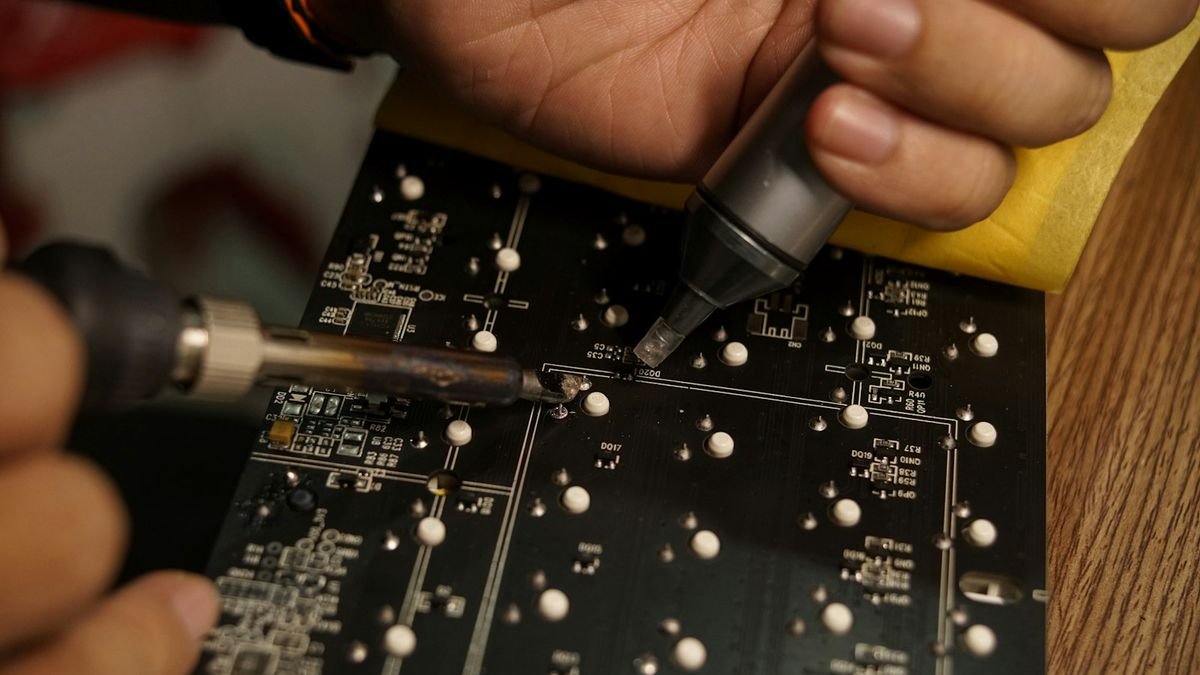
iPhone network repair cost in Delhi
| Repair | Indicative price | Typical time |
|---|---|---|
| Software restore / settings fix | ₹500 – ₹1,500 | 30–60 minutes |
| SIM tray replacement | ₹500 – ₹1,500 | 15–30 minutes |
| SIM reader (connector) repair | ₹1,500 – ₹3,500 | 1–2 hours |
| Antenna / charging port flex replacement | ₹1,800 – ₹4,500 | 1–2 hours |
| Liquid-damage network repair | ₹2,500 – ₹9,000 | 1–3 days |
| Modem / baseband / RF chip repair | ₹3,500 – ₹12,000 | 1–4 days |
The final price depends on the diagnosis, which is free at Toughees Telecom. See the complete iPhone repair price list for Delhi for other repairs.
How we diagnose iPhone network problems
- SIM swap tests with known-good SIMs and known-good phones to isolate the fault.
- Software diagnostics to read IMEI, modem firmware and carrier information.
- Physical inspection of the SIM tray, reader and antenna contacts under magnification.
- Charging port and antenna flex test, because these share signal paths on many models. See our charging port repair guide.
- Board-level testing of the RF and modem sections if all else is fine.
We fit genuine parts and give every repair a 3 to 6 months warranty, depending on the repair. Read about our complete iPhone repair services in Delhi.
Will I lose my data in a network repair?
Almost never. SIM, antenna and modem repairs do not touch your photos, contacts or chats. Even so, we recommend a backup before any repair. If you also want to switch phones, our data transfer service can move everything safely, and if your old iPhone is beyond economical repair you can look at a refurbished iPhone or sell your used phone to us.
Keep your iPhone connected: preventive tips
- Install iOS and carrier settings updates promptly.
- Keep the SIM tray clean and never insert a bent SIM or a tray from another model.
- Avoid thick metal cases that block antennas.
- Do not drop the phone on its corners; antenna lines run around the frame.
- Save your eSIM QR code or confirmation email so the profile can be re-sent if needed.
- Protect the phone from moisture; see iPhone overheating causes for heat-related damage to chips.
If the phone will not turn on at all, see iPhone not turning on: causes and fixes.
Visit our Safdarjung Enclave workshop
We are at Shop #7, Basement, Main Road, Block B-7, Arjun Nagar, Safdarjung Enclave, New Delhi, open Monday to Saturday, 10 AM to 8 PM. Call +91 99715 85123, send a WhatsApp message or use the contact page. We offer free pickup and drop within 5–7 km, covering Green Park, Hauz Khas, AIIMS, Sarojini Nagar and Bhikaji Cama Place; see areas we serve and our FAQ page.
Frequently Asked Questions About iPhone No Service and Searching Problems
Why does my iPhone say No Service?
No Service means the iPhone cannot register on a network. The cause may be a local outage, a SIM problem, wrong settings, outdated software or a hardware fault. Swap SIMs and phones to find out which one it is.
How do I fix iPhone stuck on Searching?
Toggle Airplane mode, restart the phone, update carrier settings and iOS, reseat the SIM and reset network settings. If it still searches endlessly after a SIM swap test, the modem or antenna may need repair.
Will resetting network settings delete my data?
No. It removes saved Wi-Fi passwords, Bluetooth pairings and VPN settings, but your photos, apps and messages stay intact.
What does Invalid SIM or SIM Failure mean?
The iPhone cannot read the SIM. It may be dirty, damaged, wrongly inserted or deactivated, or the SIM reader inside the phone may have failed.
Can a drop cause an iPhone to lose signal?
Yes. A drop can damage antenna lines, the SIM reader or the modem section, leading to No Service or very weak signal even when the screen looks fine.
My iPhone has signal but calls fail. Why?
That points to account, VoLTE or APN settings, a deactivated SIM or an operator issue. Contact your operator and check cellular settings before assuming hardware damage.
Can eSIM cause No Service on iPhone?
Yes. If the eSIM profile was not transferred or was deleted, the phone shows No Service until the operator re-sends the profile.
How much does iPhone network repair cost in Delhi?
Costs range from ₹500 for software or SIM tray fixes to ₹12,000 for modem or RF board-level repairs. Most SIM reader and antenna repairs cost ₹1,500 to ₹4,500.
How long does it take to repair an iPhone with no network?
Software and SIM tray fixes take under an hour. Reader, antenna and board-level repairs can take from a few hours to four days.
Is it a network fault or my phone?
Put your SIM in another phone and try another SIM in your iPhone. The device that fails in both tests shows where the fault is.
Does water damage cause iPhone No Service?
It can. Moisture corrodes the SIM reader, antennas and RF components. Switch the phone off and bring it in quickly for cleaning and repair.
Do you give a warranty on network repairs?
Yes. We use genuine parts and offer a 3 to 6 months warranty depending on the repair type.