You press the power button and nothing happens. Or the fans spin but the screen stays black. Or the MacBook shows the Apple logo, then the progress bar stops, or a flashing folder with a question mark appears. When a MacBook will not start, the first fear is for your files, and the second is for the bill. The good news is that many of these cases are not as serious as they look. This guide explains the different ways a MacBook can fail to start, gives you 12 common causes, walks you through the exact checks and resets for Intel, T2 and Apple silicon (M-series) MacBooks, and explains what we do in the workshop when the fault is inside the machine. It also tells you honestly how to protect your data, which depends on which type of MacBook you have.
Identify your problem first
| What you see | Group |
|---|---|
| No light, no sound, no fans, no response at all | Completely dead |
| Fans spin or keyboard lights up but screen is black | Powers on, no display |
| Startup chime or sound, then black | Powers on, display or graphics fault |
| Apple logo with a stuck progress bar | Software or storage problem |
| Flashing folder with a question mark | Startup disk not found |
| Restarts again and again, "restarted because of a problem" | Kernel panic loop |
| Prohibitory (circle with slash) sign | macOS cannot start from this disk |
12 reasons a MacBook will not turn on
1. A completely drained battery
A MacBook left unused for weeks can be so empty that it needs 20–30 minutes of charging before it shows any life. This is normal.
2. A faulty charger or cable
A frayed USB-C cable, a failed adapter or a low-wattage charger will not wake a flat MacBook. On MagSafe models, the connector light (amber or green) gives a clue.
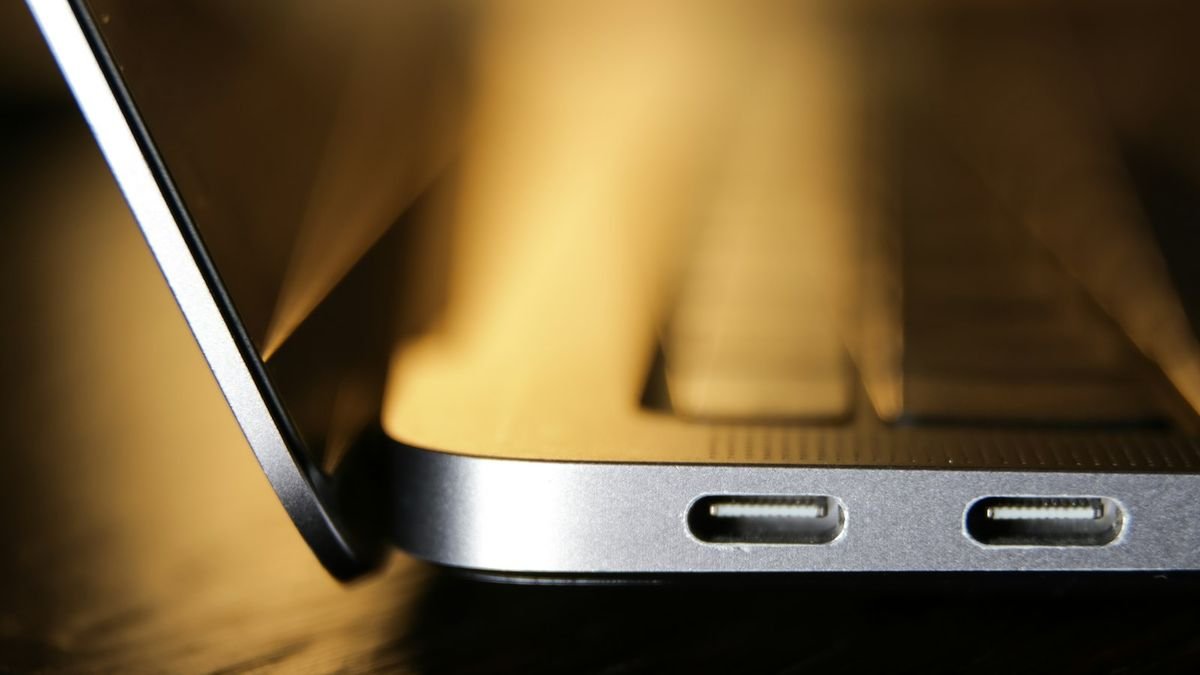
3. A damaged charging port or board
Dirt, bent contacts or a failed charging circuit stops power from reaching the battery even with a perfect charger.
4. A frozen or glitching system
A software lock-up can look like a dead MacBook. A forced shutdown and the right reset sequence usually fixes it.
5. Incorrect NVRAM or SMC settings
On Intel MacBooks, stored power and display settings can become corrupted and prevent a proper start. Resetting them clears the fault.
6. A failed macOS update
An update interrupted by a power cut or a full drive can leave macOS unable to start. Recovery mode or a reinstall solves this.
7. A storage (SSD) fault
If the internal drive is corrupted or failing, the MacBook cannot find the system and shows the question mark folder or a prohibitory sign.
8. Liquid damage
Spills cause corrosion and short circuits, often hours or days after the spill. See spilled water on your MacBook: what to do.
9. A swollen or failed battery
A bulging battery can prevent the MacBook from starting and is a safety risk. See MacBook battery replacement in Delhi.
10. A display or backlight fault
The MacBook may be on but the screen shows nothing because of a damaged display, cable or backlight. This is a display repair, not a dead MacBook. See MacBook screen replacement in Delhi.
11. A short circuit or failed power chip on the logic board
Drops, liquid, power surges and age can damage power management chips. These faults need microscope and micro-soldering repair.
12. Drop or pressure damage
A fall can disconnect the battery or display cable, or crack solder joints beneath chips, so the MacBook looks fine outside and is dead inside.
Step-by-step checks for any MacBook
Step 1: Check power
Plug a known-good charger into a wall socket you know works. Try a different cable if you have one. Look for a charging light on MagSafe models. Leave the MacBook on charge for at least 30 minutes before pressing anything.
Step 2: Disconnect everything
Remove USB drives, hubs, external screens and adapters. A faulty accessory can stop a MacBook from starting.
Step 3: Check for signs of life
Press the Caps Lock key and watch for the light, listen for fans or a chime, and shine a torch at an angle on the screen to see a faint image. If you see a dim picture, the display backlight has failed.
Step 4: Force a shutdown and try again
Hold the power button (or Touch ID button) for 10 seconds, release, wait 10 seconds and press it once.
Step 5: Reset for your type of MacBook
| MacBook type | What to try |
|---|---|
| Apple silicon (M1, M2, M3, M4 and newer) | Hold the power button for 10 seconds, then keep pressing until "Loading startup options" appears; choose Options to open Recovery |
| Intel with T2 chip (most 2018–2020) | Shut down; hold the power button for 10 seconds. If that fails, hold Right Shift + Left Option + Left Control for 7 seconds, then also hold the power button for 7 more seconds, release all, wait, then press power |
| Older Intel (before 2018) | Reset the SMC (steps vary by model) and reset NVRAM by holding Option + Command + P + R at startup for about 20 seconds |
Step 6: Try Safe Mode and Recovery
On Intel Macs, hold Shift at startup for Safe Mode, or Command + R for Recovery. On Apple silicon, hold the power button until startup options appear, and choose Options for Recovery. In Recovery, run Disk Utility → First Aid on the internal drive. If First Aid finds errors, let it fix them.
Step 7: Reinstall macOS if needed
From Recovery, you can reinstall macOS without erasing your files. Choose "Reinstall macOS" and select the main drive. Do not choose to erase the disk unless you have a backup or have no data you need.
Step 8: Test an external monitor
If the MacBook powers on but the screen is black, connect an external monitor. If the external screen shows a picture, the MacBook is working, and the internal display or its cable needs repair.
What should I do about my data?
This is the most important point, and it depends on your MacBook type. On MacBooks with a T2 chip and on all Apple silicon MacBooks, the internal storage is encrypted and tied to the logic board. The storage chips are not designed to be removed and read on another computer. This means that if the logic board has failed and you have no backup, your data can only be recovered by repairing the board itself. That is possible in many cases, which is why we try board-level repair before suggesting a replacement, but it is not guaranteed. The best protection is a regular Time Machine or iCloud backup. If your MacBook is working now, back it up today. If it is dead and you need your data, tell us before any repair so we choose the safest route. Our data transfer service also helps move your files to a new computer.
Symptom guide
| Symptom | Likely cause | Next step |
|---|---|---|
| Dead, even on charger | Charger, port, battery or power chip | Test with another charger; then diagnosis |
| Fans spin, black screen | Display, cable or backlight | External monitor test |
| Stuck on the Apple logo | Update failure or drive problem | Recovery; First Aid; reinstall |
| Question mark folder | Startup disk not found | Recovery; check storage health |
| Restart loop with error message | Kernel panic from hardware or software | Safe Mode; remove peripherals; diagnosis |
| Hot, bulging case | Swollen battery | Stop charging; urgent repair |
| Dead after a spill | Liquid damage | Do not power on; bring it in |
When to stop and bring it in
- It does not respond after 30 minutes on a working charger and the reset steps.
- The MacBook was exposed to liquid.
- The case is bulging or the trackpad feels raised.
- Recovery mode fails or shows repeated errors.
- The MacBook powers off immediately when you unplug the charger.
- You need the data and have no backup.

How we diagnose a dead MacBook at Toughees Telecom
- External inspection for liquid marks, dents and port damage.
- Lab power supply test to read the current the board draws, which tells us whether the board is shorted, partly working or has an open circuit.
- Known-good swaps of charger, battery and display to isolate the failing part.
- Board inspection under a microscope for corrosion, shorted components and cracked joints.
- Clear written quote with the cause, the cost and the chance of a successful repair.
We use genuine parts, and repairs carry a 3 to 6 months warranty, depending on the repair. See all MacBook repair services in Delhi.
What will it cost?
| Cause | Repair | Indicative cost |
|---|---|---|
| Software or macOS fault | Reinstall or recovery | ₹800 – ₹2,000 |
| Charging port or board | Port or charging board repair | ₹2,500 – ₹7,000 |
| Battery failure or swelling | Battery replacement | ₹4,500 – ₹10,000 |
| Display or backlight fault | Display repair | ₹9,000 – ₹45,000 |
| Liquid damage | Cleaning and parts | ₹5,000 – ₹25,000 |
| Short or power chip failure | Logic board repair | ₹6,000 – ₹35,000 |
See the complete MacBook repair price list for Delhi. Prices are indicative and the final quote follows diagnosis, which is free.
How to avoid a sudden dead MacBook
- Keep Time Machine backups running.
- Replace a weak battery before it swells.
- Use a proper charger and cable and avoid cheap adapters.
- Do not eat or drink over the keyboard.
- Carry the MacBook in a padded sleeve.
- Keep macOS up to date and do not interrupt updates.
- Avoid using the MacBook on soft surfaces that block the vents.
Visit us or book free pickup
Come to Shop #7, Basement, Main Road, Block B-7, Arjun Nagar, Safdarjung Enclave, New Delhi, open Monday to Saturday, 10 AM to 8 PM. Call +91 99715 85123 or WhatsApp us. We provide free pickup and drop within 5–7 km, including Green Park, Hauz Khas, AIIMS, Sarojini Nagar and Bhikaji Cama Place. See areas we serve and the contact page.
Frequently Asked Questions About MacBook Not Turning On
Why won't my MacBook turn on?
The common causes are a drained battery, a faulty charger or port, a frozen system, a failed update, a storage fault, liquid damage or a logic board problem. Charge for 30 minutes and then try the reset steps for your MacBook type.
My MacBook screen is black but the fans are running. What is wrong?
The MacBook may be on but the display, display cable or backlight has failed. Connect an external monitor; if it shows a picture, the MacBook is working and the screen needs repair.
How do I reset an M1, M2 or M3 MacBook that won't start?
Hold the power button for 10 seconds, release, then press and hold again until startup options appear. Choose Options to enter Recovery, where you can run First Aid or reinstall macOS.
How do I reset the SMC on a MacBook with a T2 chip?
Shut down, hold the power button for 10 seconds, wait, then press it again. If it still fails, hold Right Shift, Left Option and Left Control for 7 seconds, then also hold power for 7 more seconds, release all and wait before powering on.
What does the flashing folder with a question mark mean?
It means the MacBook cannot find a system to start from. The startup disk may be missing, corrupted or failing. Try Recovery and Disk Utility, and if the drive is not detected, it needs repair.
Will I lose my data if my MacBook will not turn on?
Not necessarily. Many dead MacBooks can be repaired with data intact. On T2 and Apple silicon MacBooks, data is tied to the logic board, so board repair is usually the way to recover it. Regular backups are the best protection.
Can a MacBook that will not charge be repaired?
Yes. The fault may be the charger, the cable, the port, the battery or the charging circuit. After diagnosis we repair only the faulty part.
Is it safe to keep trying to power on a MacBook after a spill?
No. Switch it off and do not try to start it. Powering it on with liquid inside can cause short circuits and permanent damage. Bring it in as soon as possible.
How much does it cost to fix a MacBook that will not turn on in Delhi?
Costs range from ₹800 for a software reinstall to ₹35,000 for a complex logic board repair. Diagnosis is free and the price is confirmed before we begin.
How long does repair take?
Software fixes and charger or port repairs may take a few hours to a day. Battery replacement is usually same day, and liquid and board-level repairs can take two to five days.
Do you give a warranty on MacBook repairs?
Yes. We use genuine parts and give a 3 to 6 months warranty depending on the repair type.
Do you offer pickup for a dead MacBook?
Yes. We offer free doorstep pickup and drop within about 5 to 7 km of our Safdarjung Enclave shop.