A cracked or flickering MacBook screen is stressful. You are in the middle of work, a college project or a client call, and suddenly there are vertical lines, a black patch, a spreading crack or a bright strip along the bottom edge of the display. The screen is the most expensive part of a MacBook to replace, so it is worth understanding exactly what is wrong before you spend anything. In this guide we explain the different kinds of MacBook screen damage, what actually causes them, how to run simple tests to tell a software problem from a hardware fault, what a MacBook screen replacement in Delhi involves, how long it takes, what it costs and how to protect the new display.
What is replaced in a MacBook screen repair?
On MacBooks made since 2016, the display is not a loose panel that can be swapped on its own. The panel, the cover glass, the camera, the microphones and the wiring are built into the lid assembly. Repairing a cracked or faulty screen means replacing this complete display assembly (and in some cases the backlight or the display cables, if only that part has failed). This is why a MacBook screen costs much more than a phone or ordinary laptop screen, and why a quote must be specific about what is being fitted and from where.
Because the assembly includes the camera and the True Tone calibration data on many models, a good repair also checks that the webcam, the microphones and True Tone behave correctly after the replacement.
Types of MacBook screen problems and what they mean
| What you see | What it usually means | Repair |
|---|---|---|
| Crack with the picture still fine | Cover glass damage; panel may be safe for now | Display assembly replacement, early is cheaper |
| Black or dark patches, ink-like spots | Panel damage from impact or pressure | Display assembly replacement |
| Vertical or horizontal coloured lines | Display panel or display cable damage | Cable check, then display replacement |
| Flickering, especially when moving the lid | Display cable or hinge-area wear | Cable or display replacement |
| Bright strip along the bottom, like stage lights | Worn backlight flex cable on some older Pro models | Backlight cable repair or display replacement |
| Screen very dim, picture only visible under a torch | Backlight failure | Backlight repair or display replacement |
| Black screen, but the MacBook starts and chimes | Display, display cable or graphics fault | Diagnosis with external monitor |
| White spots or smudges that do not wipe off | Pressure damage to the panel layers | Display assembly replacement |
| Peeling or patchy anti-glare coating | Coating wear (known as staingate on older models) | Cosmetic; replacement optional |
What causes MacBook screen damage?
- Closing the lid on an object. A pen, earbuds case, charger cable, webcam cover or even a crumb on the keyboard presses against the screen with the lid's full force. This is the most common cause of cracks and pressure spots without any drop.
- Pressure in a backpack. Books, bottles and chargers pushed against a laptop in a bag damage the thin glass and panel.
- Drops and knocks. Even a short fall can crack the corner of the glass.
- Opening the lid by one corner. Repeated twisting stresses the frame and the display cable.
- Heat. A MacBook closed with heavy use, in a hot bag or a parked car, can warp layers and loosen adhesive.
- Liquid damage. Water or tea on the keyboard can reach the display connector and cause lines or black screens. See spilled water on your MacBook: what to do.
- Flex cable wear. Years of opening and closing wear the cables that run through the hinge on some models, causing flicker or lines at certain lid angles.
Two simple tests: software or hardware?
Before you assume the screen is broken, try these tests that we use ourselves. They take five minutes.
Test 1: The screenshot test
Press Shift + Command + 3 to take a screenshot, and then open the screenshot file. If the screenshot looks perfectly clean, but the live screen shows lines or colours, the display or its cable is damaged. If the screenshot also has lines, the problem is in the graphics software or the board.
Test 2: The external monitor test
Connect your MacBook to an external monitor or TV with a USB-C or HDMI adapter. If the external display is clean and works normally, the MacBook's logic board and graphics are healthy, and the built-in display or its cable is at fault. If the external display shows the same problem, the issue is on the board.
Other quick checks
- Restart the MacBook and boot into Safe Mode (hold Shift on Intel, or hold the power button for the options on Apple silicon) to rule out software.
- Reset the brightness to maximum and check for the faint image under a torch, which suggests a backlight fault.
- Reset the NVRAM on Intel models.
- Update macOS in case a known display bug was fixed.
What to do right after the screen cracks
- Stop using the damaged area. Do not press or wipe along the crack, which can push fragments and spread the damage.
- Back up now. If the MacBook still works, run Time Machine or copy files to iCloud or a drive. A cracked screen can fail completely at any time.
- Use an external monitor in the meantime if you need to keep working.
- Do not close the lid hard. Cracked glass is fragile; close it gently or avoid closing it.
- Keep it dry and clean so nothing enters the cracks.
- Bring it in soon. Early repair usually costs the same, but waiting risks panel failure and lines that spread.
MacBook display types by model
| MacBook family | Display | Special care |
|---|---|---|
| MacBook Air 2015–2017 (Intel) | Standard LED-backlit LCD | Older design; hinge and cable care |
| MacBook Air 2018–2020 Retina | Retina LCD with True Tone on most | Cable wear, True Tone calibration |
| MacBook Retina 12" | Thin Retina panel | Very thin lid, easy to damage |
| MacBook Air M1, M2, M3, M4 | Liquid Retina (notch on M2 and later) | Thin lid; camera and True Tone check |
| MacBook Pro 13" (Intel, M1, M2) | Retina LCD | Backlight cable on 2016–2018 models |
| MacBook Pro 14" / 16" | Liquid Retina XDR mini-LED with ProMotion | Expensive panel; careful handling |
What is "stage light" or "flexgate"?
Some MacBook Pro models from around 2016 to 2018 developed a problem where the bottom edge of the screen shows bright patches, like stage lights, once the lid is opened beyond a certain angle. It is caused by a thin backlight cable that wears through at the hinge. As the fault progresses, the screen may go entirely dark when the lid is opened wide. The repair is to replace the faulty cable or the display assembly, depending on the model and how the damage has progressed. If you own one of these older Pros and see the effect, get it checked early, since the cost rises if the display is also damaged.
Smaller display faults: when is a replacement really needed?
Not every display imperfection means a new screen. Here is how we judge the smaller issues that customers ask about:
- A single stuck or dead pixel. One tiny dot that stays black or bright is usually cosmetic. It does not spread and can be lived with. Several clusters, or a growing patch, point to panel damage.
- Image retention. A faint ghost of a previous image that fades within seconds is normal on LCD panels. A permanent shadow means the panel is damaged.
- Yellow or uneven tint. A slight colour shift at the edges can appear on older panels. A strong yellow or pink patch usually follows a pressure mark or a failing backlight.
- Anti-glare coating wear. Patchy, smudged areas that do not clean come from the coating peeling, mostly on 2016–2019 models. It is cosmetic and does not affect how the MacBook works; replacement is only for appearance.
- Light bleed at the edges. A little glow on a dark screen is common. If it keeps growing, it points to pressure on the panel.
A free diagnosis separates cosmetic quirks from real faults, so you never pay for a screen that does not need replacing.
Hinge and lid problems that look like screen faults
Sometimes the display is fine but the hinge or the lid structure is the problem. Signs include a lid that will not stay at the angle you set, a lid that opens by itself, a gap along the edge between the screen and the base, or flicker that appears only when you tilt the screen. Hinge wear can pinch and tear the display cables over time, which then looks like a faulty panel. Repairing the hinge and securing the cable early often avoids the cost of a new display. If you notice the lid feeling loose or noisy, mention it during diagnosis and we will inspect the hinge area as part of the free check.
Can I keep working with an external display?
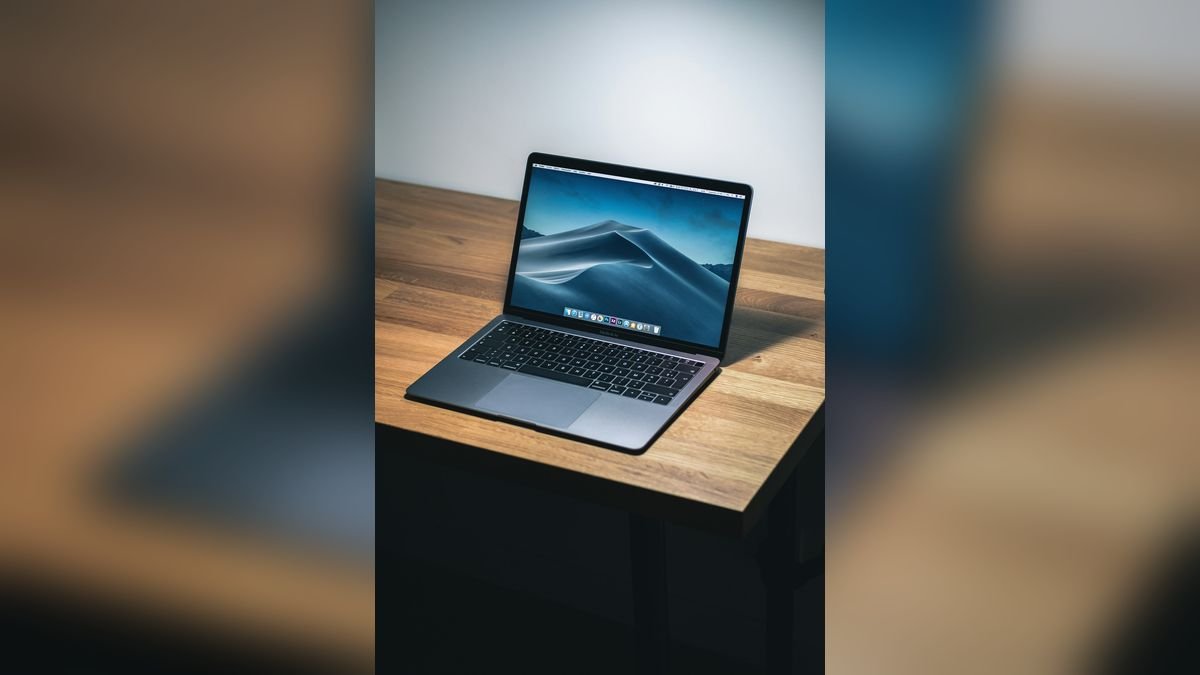
Many of our customers choose to keep using their MacBook with an external monitor while waiting for a repair slot or a budget decision. This works well on Apple silicon MacBooks and most Intel MacBooks that start normally. Connect the display through USB-C or HDMI, close the lid only if the MacBook is plugged into power and an external keyboard and mouse are connected, and make sure the machine does not overheat with the lid closed. This is only a temporary measure. The cracked screen can fail suddenly, and continued use of a MacBook with a damaged lid carries the risk of cuts from loose glass and of damage to the display cables, so we advise repairing the screen as soon as it is practical.
How we replace a MacBook screen at Toughees Telecom
- Free diagnosis. We run screenshot and external monitor tests, inspect the cable and check the hinge area so you know exactly what is faulty.
- Written quote. You see the price, the time and the warranty in writing before work starts.
- Safe disassembly. The bottom case is removed and the battery disconnected first, to protect the board.
- Display replacement. The genuine display assembly is fitted, and cables and hinges are checked and secured.
- Calibration and tests. We test brightness, colour, True Tone where applicable, camera, microphones, hinge feel and lid sensor.
- Warranty. A 3 to 6 months warranty, depending on the repair, is noted on your receipt.
MacBook screen replacement cost and time in Delhi
| MacBook | Indicative price | Typical time |
|---|---|---|
| MacBook Retina 12" / Intel Air | ₹9,000 – ₹16,000 | Same day to 2 days |
| MacBook Air (M1, M2, M3 and newer) | ₹14,000 – ₹24,000 | 1–3 days |
| MacBook Pro 13" | ₹15,000 – ₹26,000 | 1–3 days |
| MacBook Pro 14" | ₹22,000 – ₹38,000 | 1–3 days |
| MacBook Pro 16" | ₹28,000 – ₹45,000 | 1–3 days |
| Backlight cable repair (older Pro models) | ₹5,000 – ₹12,000 | 1–2 days |
See the full MacBook repair price list for Delhi. Prices are indicative and are confirmed after diagnosis.
How to protect your MacBook screen
- Never close the lid with a pen, earbuds, charger, camera cover or paper on the keyboard. Apple advises against thick covers because the lid clearance is very small.
- Use a padded sleeve in your backpack, and do not put heavy items on top of the laptop.
- Open and close the lid from the centre, not from a corner.
- Use a microfibre cloth, slightly damp, to clean the screen; do not spray liquids directly onto it.
- Do not carry the MacBook by its lid or leave it in a hot car.
- Keep liquids away from your desk.
- Replace a worn battery before it swells and pushes against the display; see MacBook battery replacement in Delhi.
For other Apple displays, see our guide on iMac screen repair in Delhi, or visit our MacBook repair in Delhi page.
Visit us or book free pickup
Bring your MacBook to Shop #7, Basement, Main Road, Block B-7, Arjun Nagar, Safdarjung Enclave, New Delhi, open Monday to Saturday, 10 AM to 8 PM. Call +91 99715 85123 or WhatsApp us a photo of the screen. We offer free pickup and drop within 5–7 km, including Green Park, Hauz Khas, AIIMS, Sarojini Nagar and Bhikaji Cama Place. See areas we serve and the contact page.
Frequently Asked Questions About MacBook Screen Replacement
How much does MacBook screen replacement cost in Delhi?
It costs about ₹9,000 to ₹16,000 for older Airs and the 12-inch MacBook, ₹14,000 to ₹24,000 for MacBook Air M-series, ₹15,000 to ₹26,000 for the 13-inch Pro, ₹22,000 to ₹38,000 for the 14-inch Pro and up to ₹45,000 for the 16-inch Pro.
How long does MacBook screen replacement take?
Most screen replacements take one to three days depending on the model and part availability. Some older Air models can be done the same day.
Can only the glass of a MacBook screen be replaced?
On modern MacBooks the glass is part of the display assembly, so the whole assembly is replaced. We will advise honestly if a cheaper option exists for your model.
Why does my MacBook screen have vertical lines?
Vertical lines usually come from a damaged display panel or a worn display cable. Take a screenshot and test with an external monitor; if the screenshot is clean, the display needs repair.
What is the stage light effect on a MacBook Pro?
It is a bright strip along the bottom of the screen when the lid is open, caused by a worn backlight cable on some older MacBook Pro models. It is repaired by replacing the cable or the display assembly.
My MacBook screen is cracked but works. Should I wait?
It is better not to wait. Cracks spread, the panel can fail, and debris can enter. Back up your data and get a quote soon.
Will I lose data if the MacBook screen is replaced?
No. Screen replacement does not touch your storage. We still recommend a backup before any repair.
Will True Tone and the webcam work after screen replacement?
Yes, when the repair is done correctly. We test the camera, microphones, brightness and True Tone behaviour after every display replacement.
Why does my MacBook screen flicker?
Flicker is often caused by a worn display cable, a hinge-area problem or a display fault. Check whether it changes as you move the lid; if it does, a cable or display repair is likely needed.
Can I use an external monitor while waiting for repair?
Yes, if the MacBook itself starts normally. An external monitor lets you keep working and access your files until the repair is complete.
Do you use genuine parts for MacBook screen repair?
Yes. We use genuine parts and give a 3 to 6 months warranty depending on the repair.
Do you offer pickup for MacBook screen repair?
Yes. We provide free doorstep pickup and drop within roughly 5 to 7 km of our Safdarjung Enclave shop.